Dashboard
The Backoffice Dashboard and the Trainer Dashboard, and what their tiles show.
Goal
After signing in, you land directly on the dashboard. Which of the two views you see, and what it shows, depends on your role.
Requirements
Every role sees a dashboard, which one exactly is described under Roles and permissions.
The two views
Backoffice Dashboard
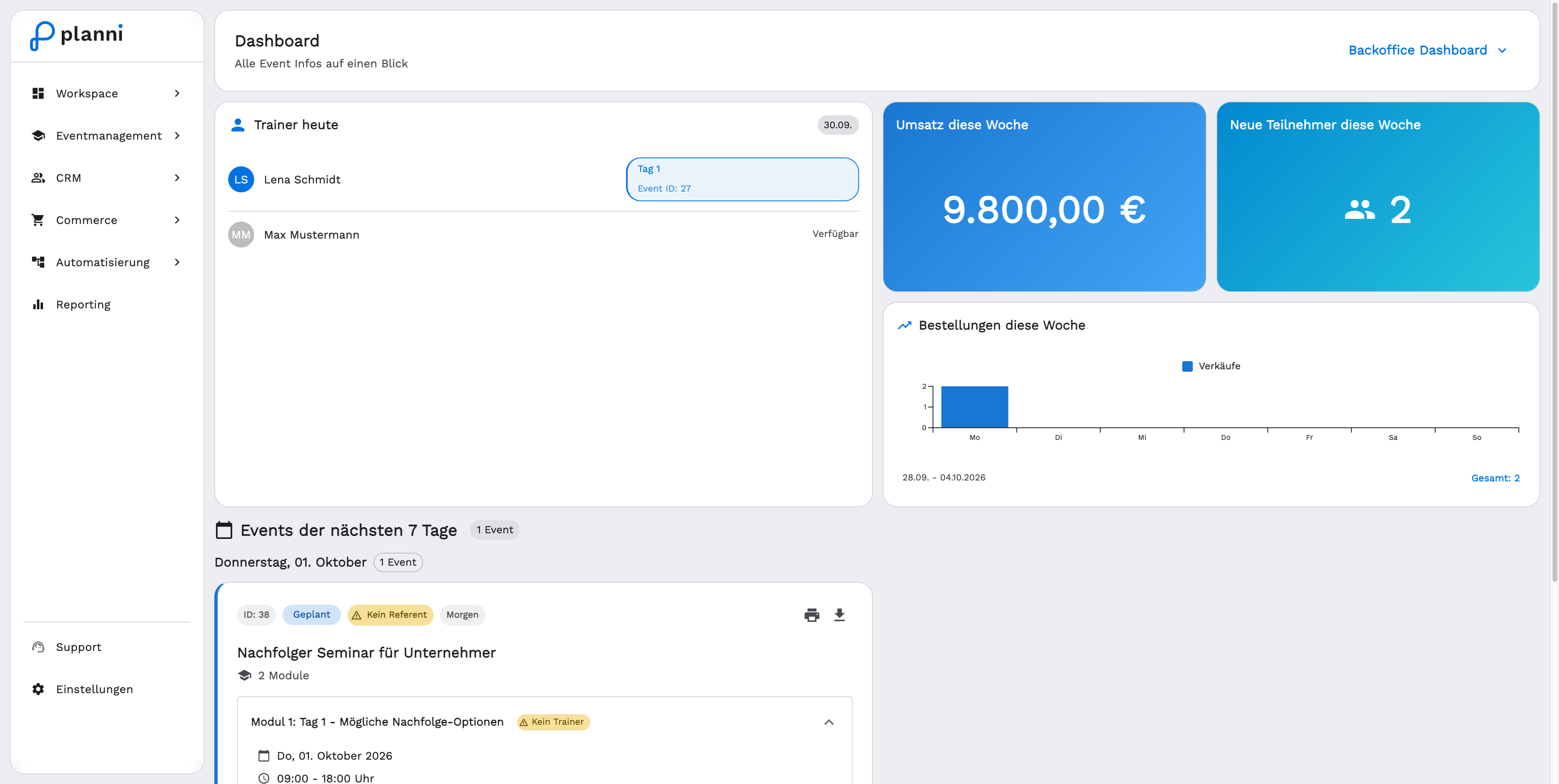
Super Admin and Admin see the Backoffice Dashboard after signing in, with an overview of the whole company: today's trainers, revenue, new attendees, this week's orders and the events of the next seven days.
Trainer Dashboard
Backoffice Manager and Staff instead see the Trainer Dashboard, focused on their own dates. As a Backoffice Manager or Staff member, you do not see the company-wide figures here, only your own events.
Super Admin and Admin can switch between both views through a selector at the top right. For Backoffice Manager and Staff, only the Trainer Dashboard is available.
Result
You see at a glance what matters for your role, without having to switch to events, orders or the calendar first.
Pitfalls
As a Backoffice Manager, do not expect the company-wide overview: this role always sees the Trainer Dashboard, regardless of how many events you manage.