Discount codes
Create discount codes, restrict them to products or categories, and let customers redeem them at checkout.
Before you start
What a discount code is
A discount code is a code customers enter at checkout to get a reduction on their order. Discount codes are managed under Commerce → Discounts.
What you need first
Nothing required. If you want to restrict a code to specific products or categories, those should already exist.
The discount code list
What you see there
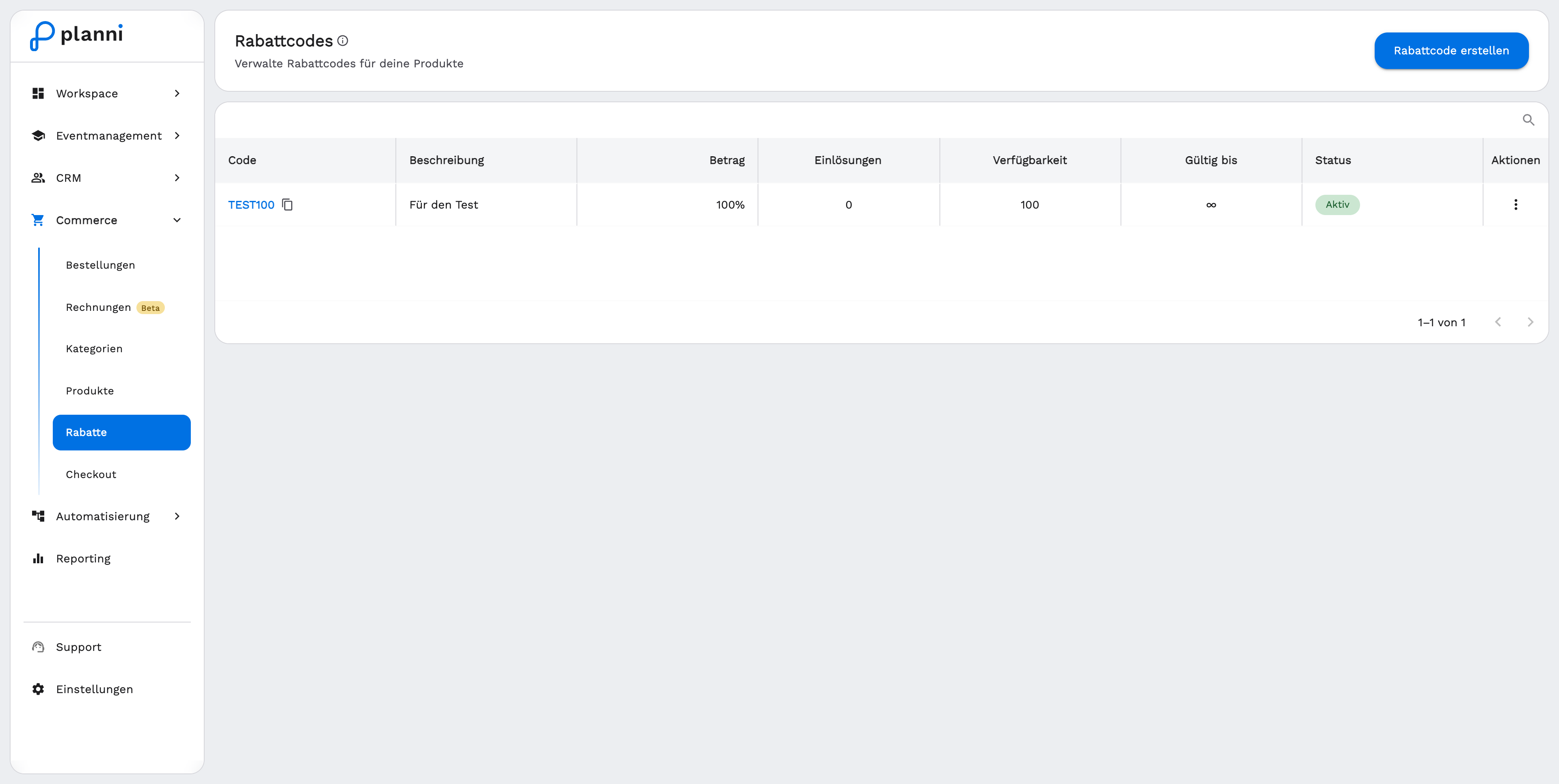
The table shows Code (with a copy icon), Description, Amount, Redemptions (how many are still available, or ∞ if unlimited), Availability, Valid until and Status.
Creating a discount code
Step by step
Click Create Discount Code.
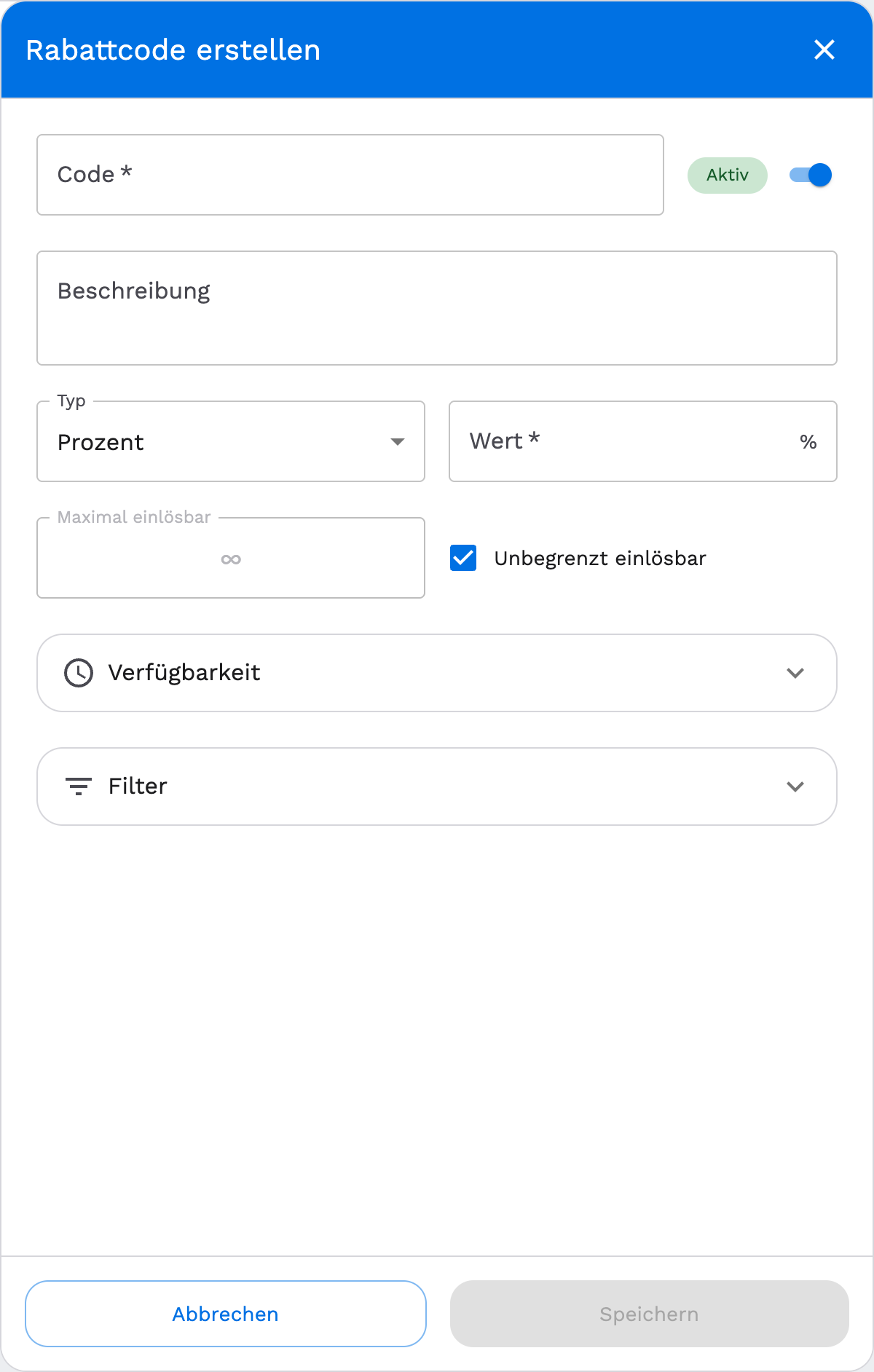
Enter a code and description. The code is the text customers type at checkout, for example SUMMER20. The Active toggle controls whether the code can currently be redeemed.
Set the type and value. Choose Percentage or Fixed Amount (a fixed amount in euros) and enter the value.
Decide how often the code can be redeemed. Enter a number under Max redemptions, or turn on Unlimited redemptions.
Optional: availability. Set a start date and a start time (in CET), and optionally an end via Set end date. Without these, the code is valid from now on and indefinitely.
Optional: filter. Restrict the code to specific products or categories. Without a filter it applies to the whole order.
How customers redeem the code
At checkout
In the cart of your checkout, customers find the Discount code field. After entering and confirming it, the reduction is shown immediately in the order summary, with the option to remove the code again.
If something doesn't work
The code can't be created
Check whether the code is already taken, planni shows this live while you type.
A customer can't redeem the code
Check: is the code still Active? Does the current date fall within its availability? Are redemptions still left? And if the code is restricted to products or categories, does the cart contain one of them?