My Account
Adjust your own name, the language and the appearance of planni.
Goal
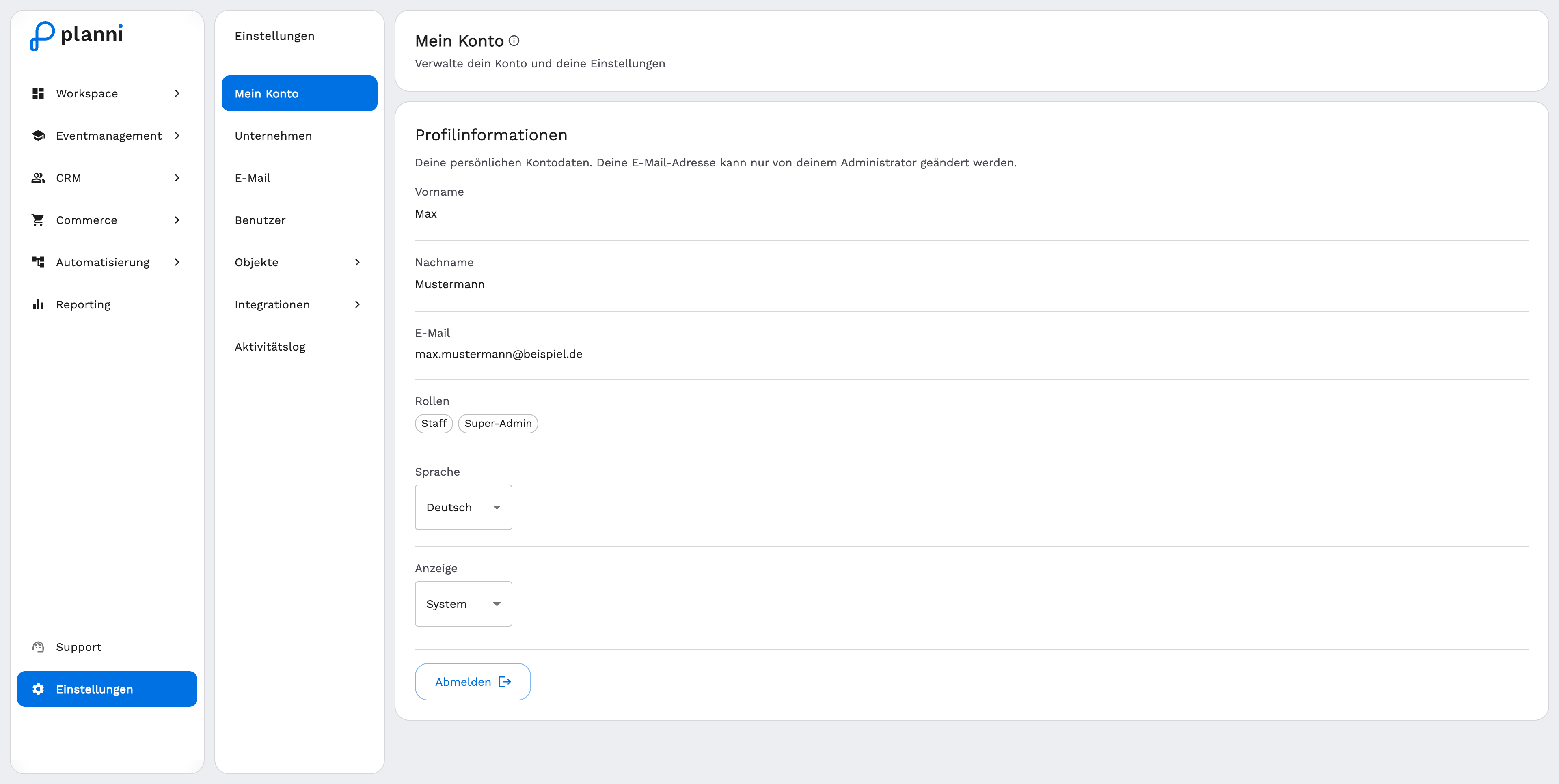
Under My Account you manage your personal settings: your name, the interface language, and whether planni is shown in light or dark mode. These settings apply only to you, not to the whole organization.
Prerequisites
None, every user has access to their own account.
Changing your profile information
Step by step
Open Settings → My Account.
Click First Name or Last Name in the "Profile Information" section to edit the field, and confirm the change.
Your email address
The email address is display only. You cannot change it here yourself, only an administrator of your organization can.
Other settings
Roles
Under Roles you see which roles are assigned to you. This list is display only, you do not change your own roles here, an administrator does that under Users.
Language
Under Language you switch the interface to German or English.
Appearance
Under Appearance you choose between System, Light and Dark. With "System", planni follows your operating system's setting.
Sign out
The Log out button at the bottom of the page ends your session.
Result
Your changes apply immediately and only to your own account. Your name and appearance setting stay in place even after signing in again.
Pitfalls
To change your email address, contact an administrator of your organization, see Inviting users and assigning roles.