Event Management
Create events, schedule them with locations and checklists, manage attendees and print lists.
What this covers
How product, event and modules relate
Events are at the centre of everyday work with planni. An event always comes from a product: the product carries how many modules there are, what they are called and what attendance costs. The individual dates of an event are called modules. A one-day seminar has one module, a series across four weeks has four. What gets booked is always the event, what gets scheduled are the modules, and for that you need a location or an online link.
The usual path
Create an event
Turn a product into an event in the wizard, schedule it and publish it.
Manage modules
Edit, cancel or reschedule the dates of an event.
Locations
Set up physical locations and online meetings once, use them in as many modules as you like.
Checklists
Create recurring tasks as a template that events pick up automatically.
Manage attendees
Review registrations, add them by hand, rebook or cancel them.
Bulk import attendees
Take on several attendees at once instead of typing them in one by one.
Calendar
Keep an overview of modules and calendar entries and schedule trainers.
Print attendee lists
Produce the lists you need on the day.
The event list
Status tabs and columns
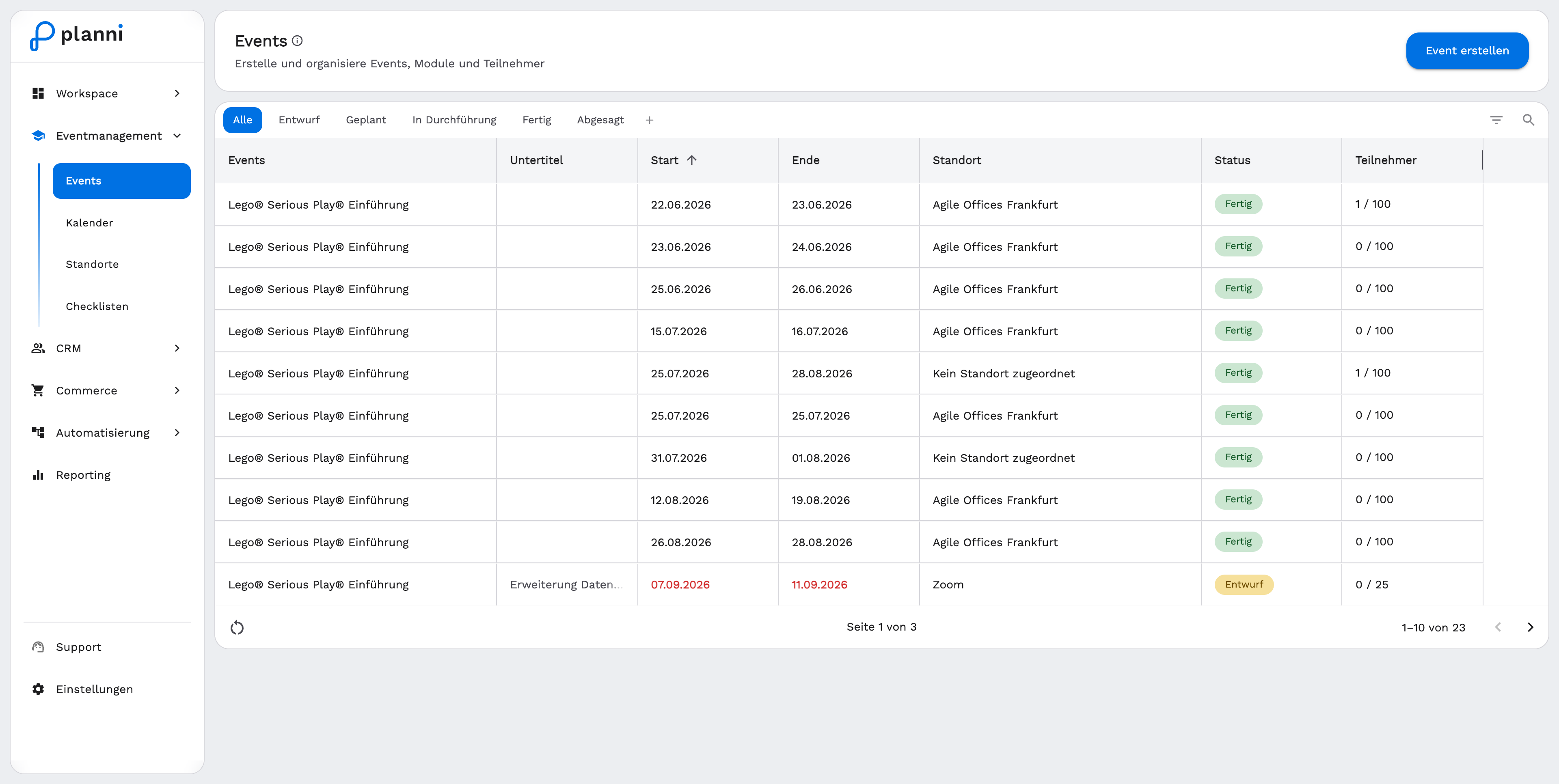
The Events menu item shows all your events as a table. Use the tabs All, Draft, Planned, In Progress, Completed, Cancelled and + (for your own tabs) to filter by status. The columns show Events, Subtitle, Start, End, Location, Status, Attendees, Waitlist and Actions. Use Create Event in the top right to start a new one.
Related sections
What is sold and at which price sits on the product under Products and categories. The people behind the registrations are maintained under CRM.